Solution Templates
Ramsha Framework provides a set of pre-configured solution templates to help you kickstart your applications with best practices and modular architecture already in place.
Available Templates
1- Ramsha Simple Web API Template (ramsha-api)
A minimal, simple API template for building RESTful services with Ramsha Framework.
Features:
- Simple
- Modular architecture
- EfCore Support
Usage:
ramsha new api MyApiProject
or
dotnet new ramsha-api -n MyApiProject
Usage Examples
Ramsha CLI
# Basic project
ramsha new api MyProject

# With database (SQL Server)
ramsha new api MyProject -d

# With database (PostgreSql)
ramsha new api MyProject -d --dbProvider postgres
.NET CLI
# Basic project
dotnet new ramsha-api -n MyProject

# With database (PostgreSQL)
dotnet new ramsha-api -n MyProject --useDatabase --dbProvider postgres
2- Ramsha Clean Web API Template (ramsha-c-api)
A clean API template for building RESTful services with Ramsha Framework.
Features:
- Clean architecture
- Modular architecture
- EfCore Support
Usage:
ramsha new c-api MyApiProject
or
dotnet new ramsha-c-api -n MyApiProject
Usage Examples
Ramsha CLI
# Basic project
ramsha new c-api MyProject

# With database (Default SQL Server)
ramsha new c-api MyProject -d

# With database (PostgreSql)
ramsha new c-api MyProject -d --dbProvider postgres
.NET CLI
# Basic project
dotnet new ramsha-c-api -n MyProject

# With database (PostgreSQL)
dotnet new ramsha-c-api -n MyProject --useDatabase --dbProvider postgres
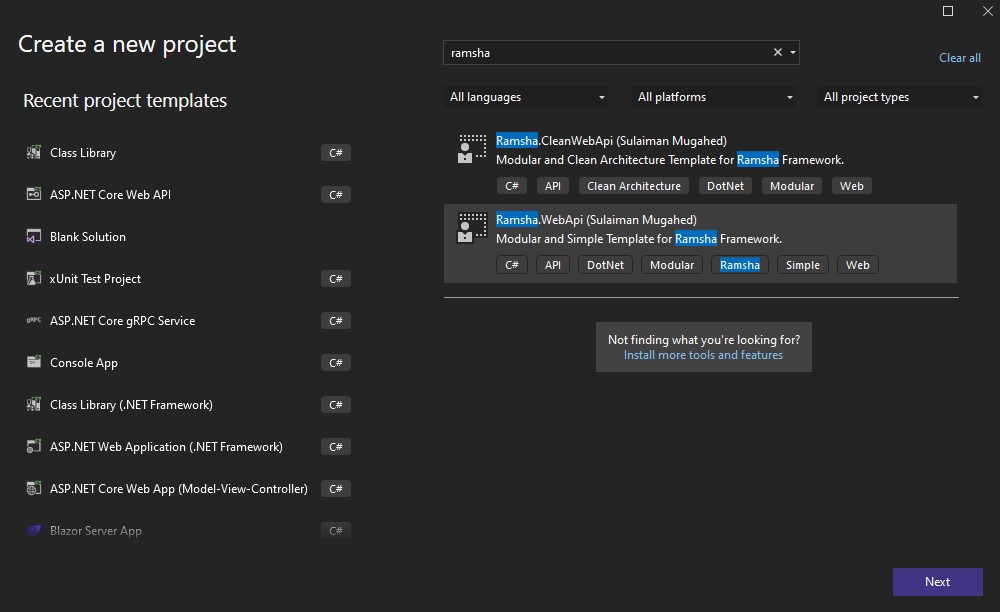
Creating a New Project with Visual Studio
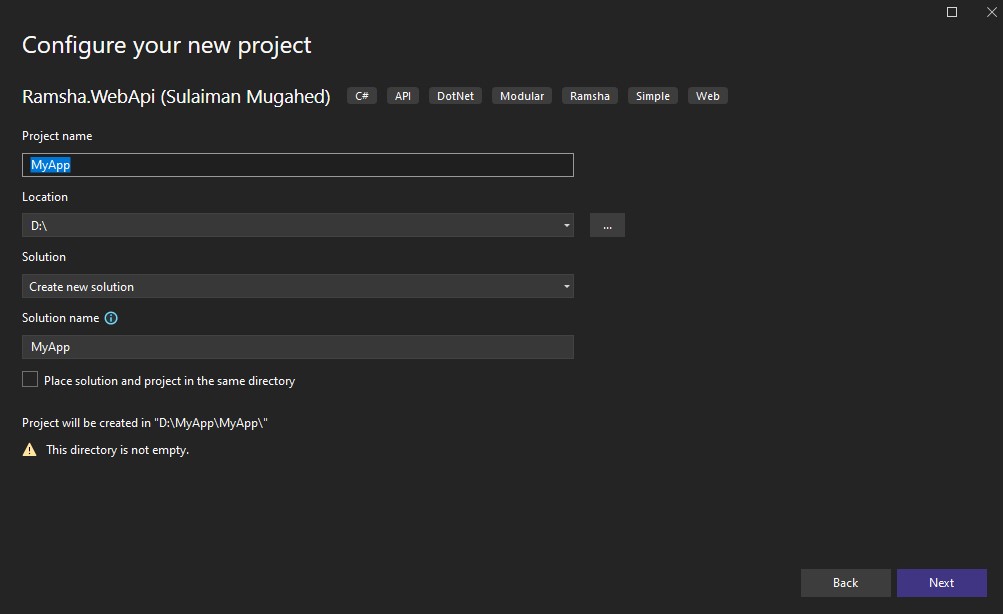
You can create a Ramsha project directly from Visual Studio using the installed templates.
Step 1: Choose the Ramsha Template
Step 2: Configure Project Name and Location
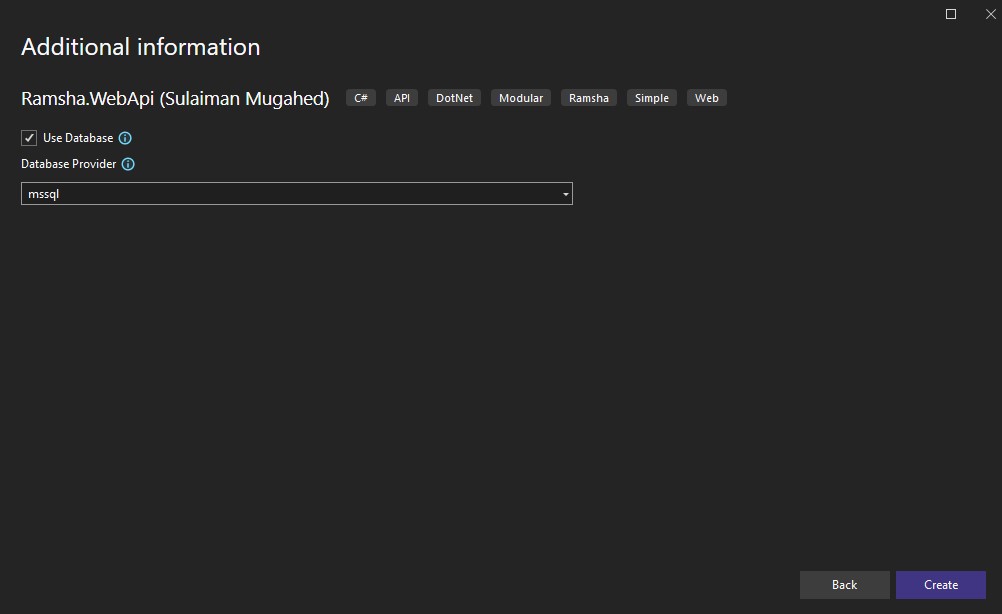
Step 3: Configure Ramsha Options
In this step, you can customize how the Ramsha project is created:
-
Use Database
- Enable or disable database support
-
Database Provider
- Select the database provider (SQL Server, PostgreSQL, etc.)
After configuring the options, click Create.
Visual Studio will generate the project with the selected configuration.
Run the Application
dotnet run
Open your browser:
http://localhost:<port>/scalar
Then you should see Scalar-UI docs for your application.